
How to Fix Steering Wheel Control (SWC) Not Working on Android Car Stereo
Steering buttons refusing to change volume or tracks on your new head unit? Learn how resistance-based Key 1 and Key 2 wires operate, how to map buttons in Key Study, and how to configure digital CANbus decoders

You just installed a brand-new touchscreen head unit in your car. The display looks crisp, your phone pairs seamlessly, but the moment you hit the road, you press the volume rocker on your steering wheel and get complete silence.
Dealing with an android car stereo steering wheel control not working glitch right after installation is super frustrating. Taking your eyes off the road just to lower the audio volume defeats the entire purpose of having dedicated steering buttons.
The good news? Your stereo isn’t broken, and neither is your vehicle. In our car audio workshop, steering buttons stop responding due to three common reasons: an unmapped analog wire behind the dash, missing software calibration, or a mismatched Canbus decoder profile.
Work through these four easy and proven workshop diagnostic steps to fix your android car stereo steering wheel control not working problem and get your dashboard controls responding instantly.

Quick Diagnostic: Steering Control Symptoms & Root Causes
Before disassembling dashboard trim panels, match your steering button symptoms to identify why your android car stereo steering wheel control not working failure occurred:
| Observed Control Symptom | Underlying Electrical Root Cause | Immediate Workshop Fix |
|---|---|---|
| Buttons do nothing; Key Study won’t register | Key 1/Key 2 wires disconnected or CANbus unconfigured. | Connect analog Key leads or set CANbus protocol in Factory menu. |
| Volume Up triggers Mute or Next Track | Corrupted resistance lookup table in system memory. | Tap “Reset” in Key Study and remap each button freshly. |
| Controls fail only when turning the steering wheel | Hairline fracture in internal steering column clock spring. | Inspect resistance on clock spring ribbon; replace if open circuit. |
| Worked on factory radio, completely dead on Android | Factory CANbus vehicle requires external digital decoder box. | Install vehicle-specific CANbus adapter box with 16-pin harness. |
| Buttons work erratically with headlights turned ON | Floating ground reference on steering wheel ground wire. | Ground the SWC reference wire directly to bare vehicle chassis steel. |
Step 1: Inspect the Analog Key 1 and Key 2 Wires Behind the Dash
Most aftermarket Android head units rely on resistance-based steering wheel controls where each button press sends a specific reference voltage down the harness to command the stereo microcontroller.
If your car uses an analog system without an external Canbus box, slide the stereo out of the dash fascia. Before testing multi-meter voltages, confirm whether your android car stereo steering wheel control not working symptom is caused by unplugged analog signal wires:
- Locate the dedicated steering control wires on the stereo’s 16-pin harness:
- Key 1 (Wheel 1): Usually solid brown or orange.
- Key 2 (Wheel 2): Usually brown with a white stripe, or pink.
- SWC Ground (GND): A black reference ground wire.
- Ensure these wires are firmly spliced into your car’s factory steering control pins. If your car only has a single SWC signal wire, connect it strictly to Key 1 and leave Key 2 insulated.
- Verify that the factory steering wheel ground wire is tied securely to the stereo’s main ground or grounded against bare chassis metal.
⚠️ Crucial Wiring Warning: Never connect 12V battery or accessory power to Key 1 or Key 2 wires. These analog inputs are rated strictly for 0V to 5V resistance detection. Feeding 12V into a Key line will permanently fry the head unit’s Analog-to-Digital Converter (ADC) chip.
RELATED TROUBLESHOOTING GUIDE
Step 2: Calibrate Buttons via the Key Study Application
Running the Key Study utility solves the android car stereo steering wheel control not working bug whenever physical buttons are completely unmapped in the stereo software table.
Failing to calibrate this software table leaves your android car stereo steering wheel control not working even though the wiring is perfectly fine.
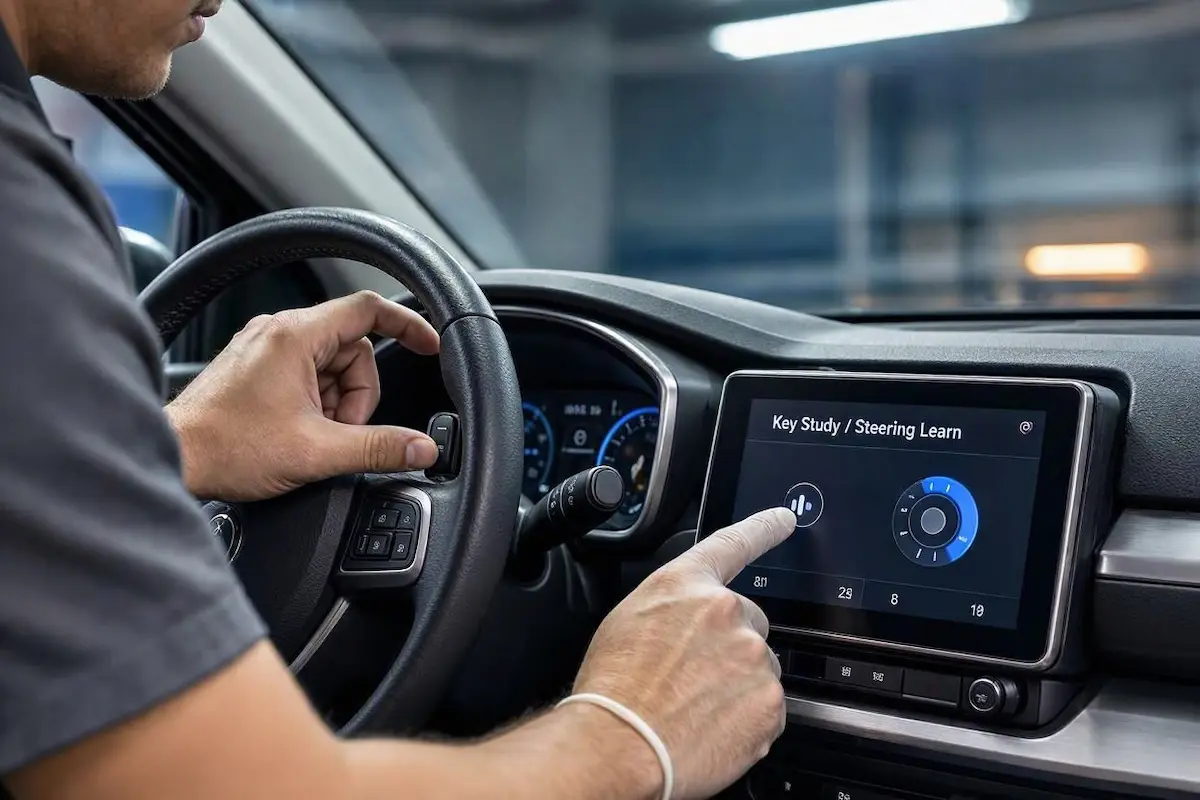
Use the built-in “Key Study” app to program your buttons in two minutes:
- Turn on the car ignition so the Android head unit boots up fully.
- Open the application drawer and tap on Steering Learn, Key Study, or Wheel Keys.
- Tap the Reset or Clear button first to wipe clean any corrupted factory presets.
- Press and hold a physical button on your steering wheel—start with Volume +.
- While holding the physical button down, tap the corresponding Volume + icon on your touchscreen. The icon will change color or highlight to confirm it detected the resistance value.
- Release the steering button and repeat this sequence for Volume Down, Next Track, Previous Track, Mute, and Phone Call.
- Tap Save or Confirm before exiting the menu to store the voltage mapping.
Step 3: Configure Digital CANbus Protocol for Modern Vehicles
If your car is a modern vehicle (such as a Hyundai Creta, Maruti Brezza, Baleno, Honda Civic, or VW Golf) and came with an external black box plugged into the harness, that is your CANbus decoder.
In CANbus vehicles, button presses travel across high-speed digital data networks rather than analog resistance lines. Because of this, the analog Key Study app will ignore button presses until the decoder profile is set properly.
A mismatched decoder protocol is the leading reason behind an android car stereo steering wheel control not working issue in modern cars:
- Go to Car Settings → Factory Settings.
- Enter your unit’s engineering PIN. (If prompted, verify your code using our verified directory of Android car stereo factory settings passwords).
- Navigate to the Canbus or Protocol Setup menu.
- Inspect the brand name stamped on your physical black CANbus adapter box (such as Hiworld, Raise, Simple Soft, or XP) and select it from the brand list.
- Select your exact car make, vehicle model, and production year.
- Tap Save & Reboot. Once the stereo restarts, CANbus data will stream properly, and steering buttons will control the audio immediately.
RELATED TROUBLESHOOTING GUIDE
Step 4: Inspect Floating Ground & Clock Spring Hairline Cracks
If electrical noise or resistance shifts the signal, troubleshooting an android car stereo steering wheel control not working error requires inspecting your chassis ground reference and steering column wiring.
Mechanical wear and electrical floating grounds frequently mimic an android car stereo steering wheel control not working failure:
- Tighten the Reference Ground: Analog steering controls depend on a rock-solid electrical ground reference. If the ground wire has high resistance or shares a noisy circuit with headlights, the voltage shifts and triggers incorrect button commands. Bolting the SWC ground directly to chassis steel eliminates this instantly.
- Inspect the Clock Spring Ribbon: Inside your steering column sits a spiral flat ribbon cable called the clock spring. Over years of steering rotation, this ribbon develops hairline copper fractures. If your buttons cut out only while turning the wheel, the clock spring requires replacement.
- Perform an MCU Cold Reset: If the unit simply froze, use a paperclip to press the tiny RST pinhole on the front bezel for 5 seconds to clear volatile cache memory.
Fixing an android car stereo steering wheel control not working condition rarely requires paying high dealership diagnostic fees.
In more than 90% of our workshop cases, either splicing the Key 1 lead correctly, calibrating buttons through the Key Study app, or selecting your correct CANbus brand protocol restores full steering control response permanently.
Frequently Asked Questions (FAQ)
Why is my Android car stereo steering wheel control not working after installation?
In aftermarket stereos, steering controls fail because the analog Key 1/Key 2 wires are not connected, the buttons have not been mapped in the Key Study app, or the digital CANbus decoder protocol does not match your specific vehicle make and model.
Do I need to connect both Key 1 and Key 2 wires?
Not always. Many vehicles only use a single analog wire to transmit steering wheel button resistance. If your car harness only provides one steering signal lead, connect it to Key 1 and insulate Key 2. Connect both only if your car harness features two independent steering signal circuits.
Why does pressing Volume Up skip tracks or mute the stereo?
This indicates an electrical resistance shift, usually caused by a loose ground wire or a corrupted mapping profile. Clear the button data in the Key Study app and recalibrate each button. If the problem persists, ensure your steering wheel ground wire is bolted directly to clean chassis metal.