
Android Head Unit Not Switching to Reverse Camera: 4 Best Proven Fixes
Learn how to fix an android head unit not switching to reverse camera issue on manual

Shifting your vehicle into reverse only to have your display remain completely unresponsive on the radio home screen indicates a total trigger circuit failure.
Resolving an android head unit not switching to reverse camera issue requires diagnosing signal detection lines rather than adjusting video resolutions.
In professional installation bays, technicians frequently encounter aftermarket radios—especially Eonon, Atoto, and generic FYT platforms—that fail to detect gear shifts in manual transmissions and older CAN bus systems.
Unlike video loss where the screen switches to black or displays error icons, an android head unit not switching to reverse camera occurs when the internal micro-controller never receives the hardware logic gate interrupt needed to override the launcher display.
The diagnostic table below isolates why your head unit ignores gear engagement before you pull apart the entire center console.
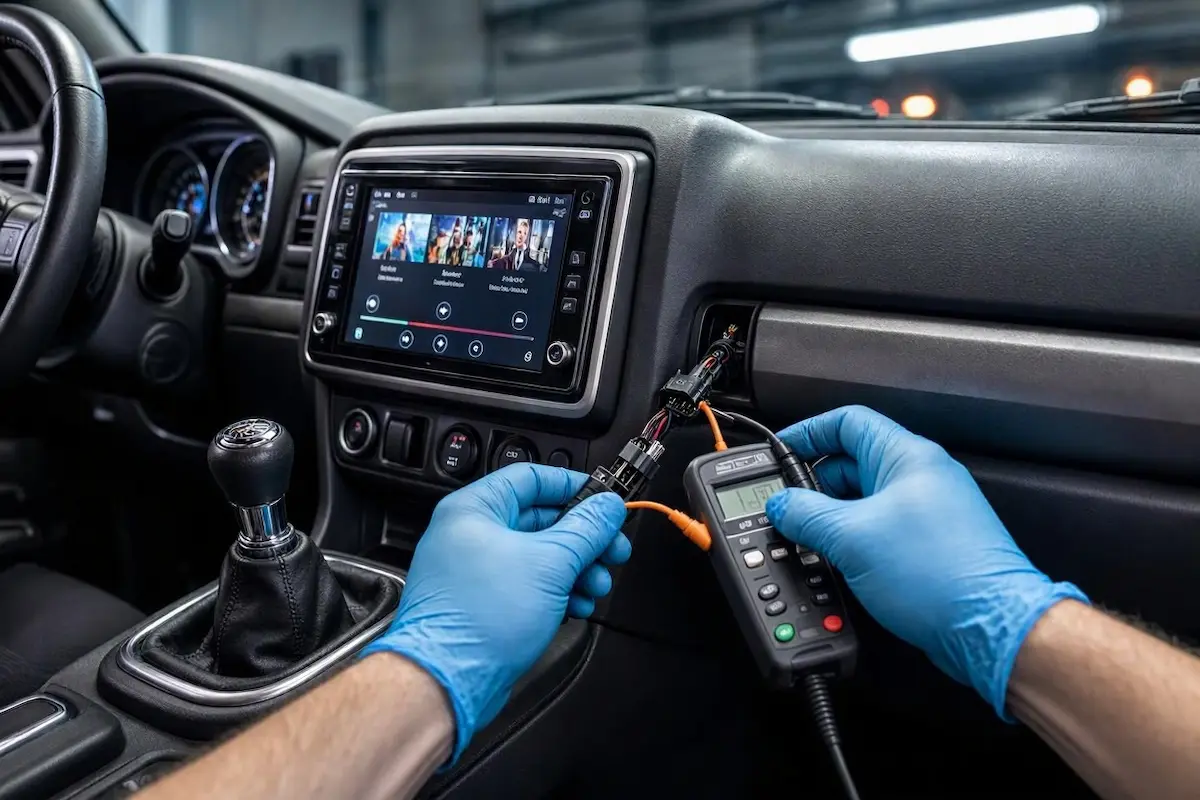
Diagnostic Matrix: Trigger Line Failures vs Direct Workshop Fixes
Identify whether your vehicle relies on a physical electrical pulse or digital CAN data to solve an android head unit not switching to reverse camera fault:
| Trigger Symptom | Electrical Root Cause | Technician Workshop Fix |
|---|---|---|
| Screen stays on the launcher; zero switching action when selecting reverse gear | Disconnected pink/brown “BACK” or “REVERSE-IN” lead on the 16-pin harness | Hardwire the harness reverse lead to the camera RCA integrated red pigtail wire |
| Automatic vehicle switches fine, but manual transmission equivalent fails completely | Vehicle CAN bus decoder lacks manual gear-switch status logic | Bypass the CAN box reverse pin and tap directly into the reverse light tail harness |
| Screen switches to reverse only when headlights or parking markers are turned on | Camera power lead erroneously tapped into vehicle running light circuit | Re-probe the taillight connector to isolate the dedicated switched +12V reverse line |
| Display switches immediately, but shows blank static or a yellow warning mark | Trigger line is operating normally, but video encoding or RCA link is disconnected | Inspect camera RCA jacks or adjust AHD/CVBS encoding settings |
Fix 1: Splice the Dedicated Pink Reverse Detection Trigger Wire
The most common cause of an android head unit not switching to reverse camera is a floating detection line on the main wiring loom.
Android head units require an external +12V positive pulse on their logic circuit to interrupt the current display app and force open the camera overlay.
- Extract the stereo from the dashboard and locate the primary 16-pin power connector loom.
- Locate the specific wire labeled “BACK”, “REVERSE”, or “REVERSE-IN” (typically color-coded pink, orange/white, or brown).
- Inspect the long yellow RCA video cable running from the rear bumper; identify the short red wire pigtail extending from both ends.
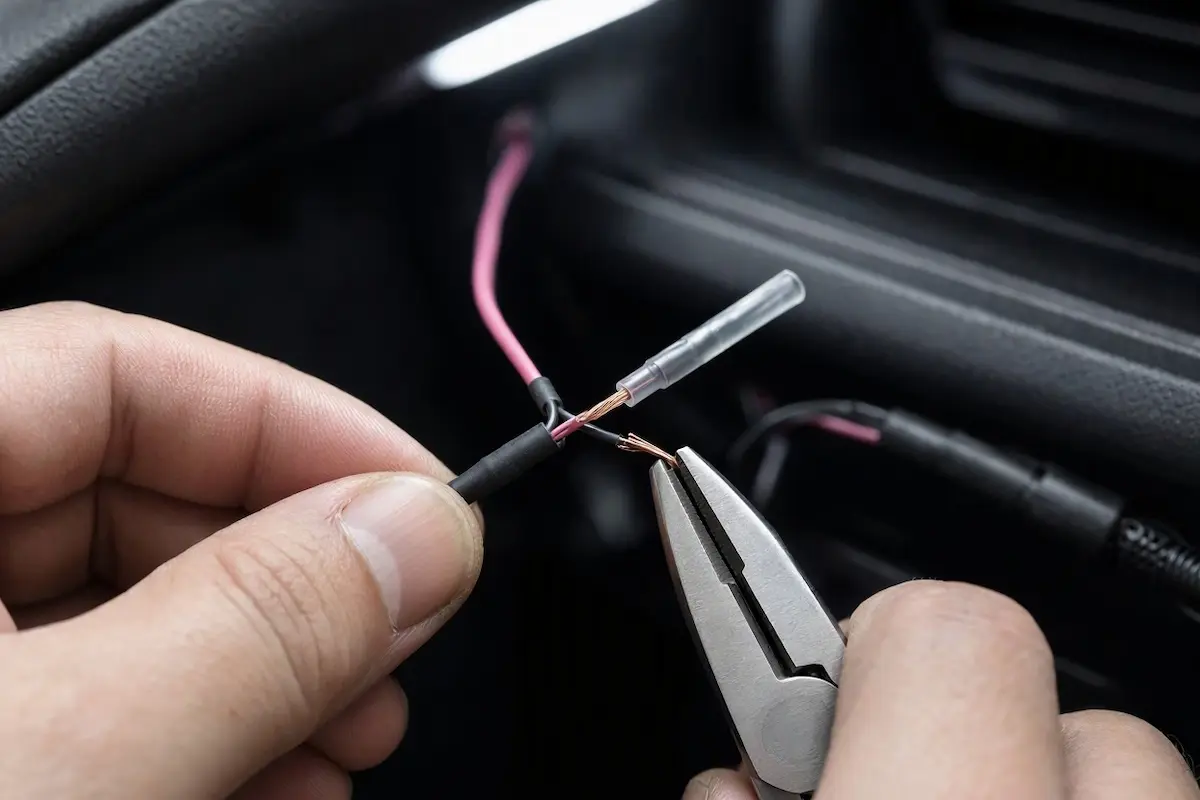
- Strip and solder this front red pigtail directly to the head unit’s pink reverse wire, sealing the joint with marine-grade heat shrink tubing.
Fix 2: Bypass CAN Bus Decoders on Manual Transmissions
In manual transmission vehicles—such as the Jeep Wrangler (JK/JL), Volkswagen Golf, and various European/Japanese platforms—the factory body network does not broadcast gear lever positions over the digital CAN lines.
Because the CAN bus decoder box receives no reverse packet, an android head unit not switching to reverse camera will persist until you provide an analog electrical signal.
- Disconnect the reverse trigger pin coming out of the CAN bus adapter harness to prevent electrical backfeed into the decoder.
- Route an analog +12V trigger line directly from the reverse tail lamp at the rear bumper toward the dashboard using the integrated RCA red wire.
- Splice the rear red pigtail into the positive terminal of the vehicle’s reverse light socket.
- Splice the front red pigtail directly to the head unit pink “BACK” input wire to trigger the display mechanically regardless of CAN bus data status.
RELATED DIAGNOSTIC GUIDE
Fix 3: Reprogram Head Unit Protocol and CAN Bus Profiles
If your vehicle is an automatic and utilizes a dedicated CAN decoder box (such as Simple Soft, Hiworld, or Raise), the issue may be mismatched communication firmware inside the radio settings.
When the internal MCU cannot read the CAN packets, the android head unit not switching to reverse camera failure will lock the screen on the standard desktop launcher.
- Access your head unit menu and select Car Settings > Factory Settings.
- Enter the manufacturer service PIN (refer to our database of Android car stereo factory settings passwords).
- Locate the CANbus / Protocol Settings submenu.
- Select your exact decoder manufacturer, followed by vehicle brand, chassis model, and build year.
- Save configuration changes, allow the stereo to complete a cold hardware reboot, and test gear engagement. For harness color references, consult our guide on connecting factory wiring harnesses to Android units.
Fix 4: Verify Ground Potential and Reverse Switch Continuity
If wiring appears correct but the head unit still fails to switch, verify that a genuine +12V positive signal actually reaches the radio pin when reverse is engaged.
- Set a digital multimeter to DC Volts and ground the black test lead to a bare metal chassis bolt behind the dashboard.
- Probe the radio pink “BACK” wire terminal with the red test lead while an assistant shifts into reverse (with ignition ON, engine off).
- If the meter displays 0V, the reverse switch on the transmission gearbox or the tail lamp fuse has failed. Verify circuit specifications directly through Android Support or your vehicle workshop service manual.
- If the meter reads between +11.8V and +12.6V but the unit stays on the home screen, access Factory Settings and toggle the “Prohibit Reverse Video” setting to OFF.
⚠️ Workshop Warning: Never bridge the pink reverse trigger line directly to the yellow permanent +12V battery memory wire. Doing so will permanently trap the head unit in reverse camera mode, disabling the Android touch operating system and draining your car battery overnight.
Overcoming an android head unit not switching to reverse camera fault does not require replacing the entire multimedia receiver.
Establishing a verified +12V analog signal to the harness pink trigger wire or correcting CAN bus protocol selections ensures immediate, automated camera switching every time you back up.
Frequently Asked Questions
Why does my Android stereo ignore reverse gear completely?
The head unit relies on a +12V positive pulse through the pink “BACK” wire or a digital command from a CAN bus decoder to trigger the camera display. If this circuit is disconnected, the screen stays on the home launcher.
Why do manual transmission cars have reverse camera trigger issues with CAN bus decoders?
Many aftermarket CAN bus decoders are designed for automatic transmissions that transmit gear positions over data buses. Manual gearboxes use simple mechanical switches that often bypass CAN data, requiring an analog wire tap to the reverse light lead.
What color is the reverse camera trigger wire on an Android head unit?
On standard ISO and aftermarket 16-pin wiring harnesses, the reverse trigger lead is typically pink or brown and labeled “BACK”, “REVERSE”, or “CAM-LINE”.