
How to Fix Car Radio Screen Black But Sound Works
Speakers blasting music and volume knob working, but your car radio display is pitch black? Learn how to perform the flashlight test, isolate illumination dimmer shorts, reseat internal LVDS cables, and reset sleep timers.

Observing a condition where your car radio screen black but sound works cleanly through vehicle speakers points directly to an isolated display power or data delivery failure rather than a destroyed motherboard.
Modern automotive multimedia receivers isolate visual rendering engines and audio output stages onto separate physical circuit rails.
The 12V radio tuner, DSP sound processor, and internal power amplifier IC can drive door speakers at full volume even when the display panel is starved of operating voltage.
When the screen shuts completely dark while music plays smoothly, the audio core remains healthy.
In routine 12-volt bench testing, this breakdown isolates to a blown LED backlight driver, an unseated internal LVDS video ribbon cable, a shorted orange illumination wire, or a frozen microcontroller unit (MCU).
Because automotive electronics face severe temperature swings and continuous dashboard vibration, physical display connections frequently back out over time.
Before replacing an expensive head unit, fifteen minutes of structured bench troubleshooting will pinpoint whether the blackout is caused by an external wiring short or an internal display driver fault.
Here are five practical workshop procedures to diagnose why your car radio screen black but sound works and restore visual control to your dashboard.
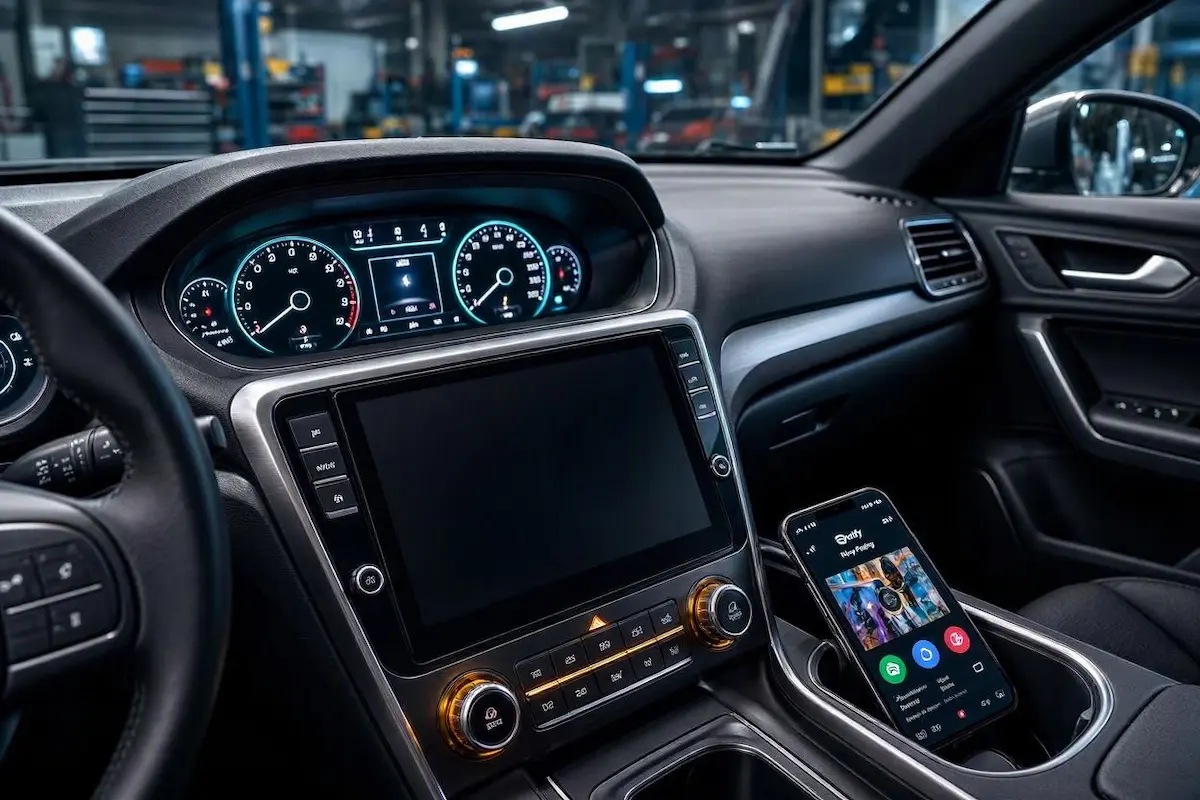
Diagnostic Matrix: Troubleshooting a Car Radio Screen Black But Sound Works
Match your specific vehicle symptoms against our workshop failure matrix to isolate an issue where a car radio screen black but sound works before pulling interior trim panels:
| Observed Display Symptom | Underlying Hardware Root Cause | Immediate Workshop Action |
|---|---|---|
| Faint image visible under focused light | Blown LED backlight strip or failed inverter driver IC. | Replace display power inverter board or swap the LCD panel. |
| Screen goes completely black only when headlights turn ON | Orange illumination wire shorted to variable ground. | Disconnect orange wire from harness or adjust dimmer setting. |
| Audio plays normally; touch beeps but glass is pitch black | Loose internal LVDS video ribbon cable (FFC). | Open faceplate assembly and reseat the flexible flat cable. |
| Display shut down immediately after hitting a pothole | Fractured solder joint or loose chassis ground on display PCB. | Inspect and tighten the radio chassis rear grounding bolt. |
| Blackout occurred immediately after car battery replacement | Microcontroller Unit (MCU) frozen in sleep suspension. | Execute a 15-second RST pinhole hard reset. |
Step 1: Perform the Flashlight Test to Isolate Backlight Failure
The single most frequent component breakdown when a car radio screen black but sound works is a burned-out LED backlight power supply circuit.
Modern automotive touchscreen monitors use two primary hardware layers: a liquid crystal display (LCD) matrix that creates colors and pixels, and a high-efficiency LED backlight array that illuminates those pixels from behind.
If the backlight driver IC or LED strip fails, the LCD continues rendering images normally.
However, without rear illumination, the display glass appears completely dark to the naked eye.
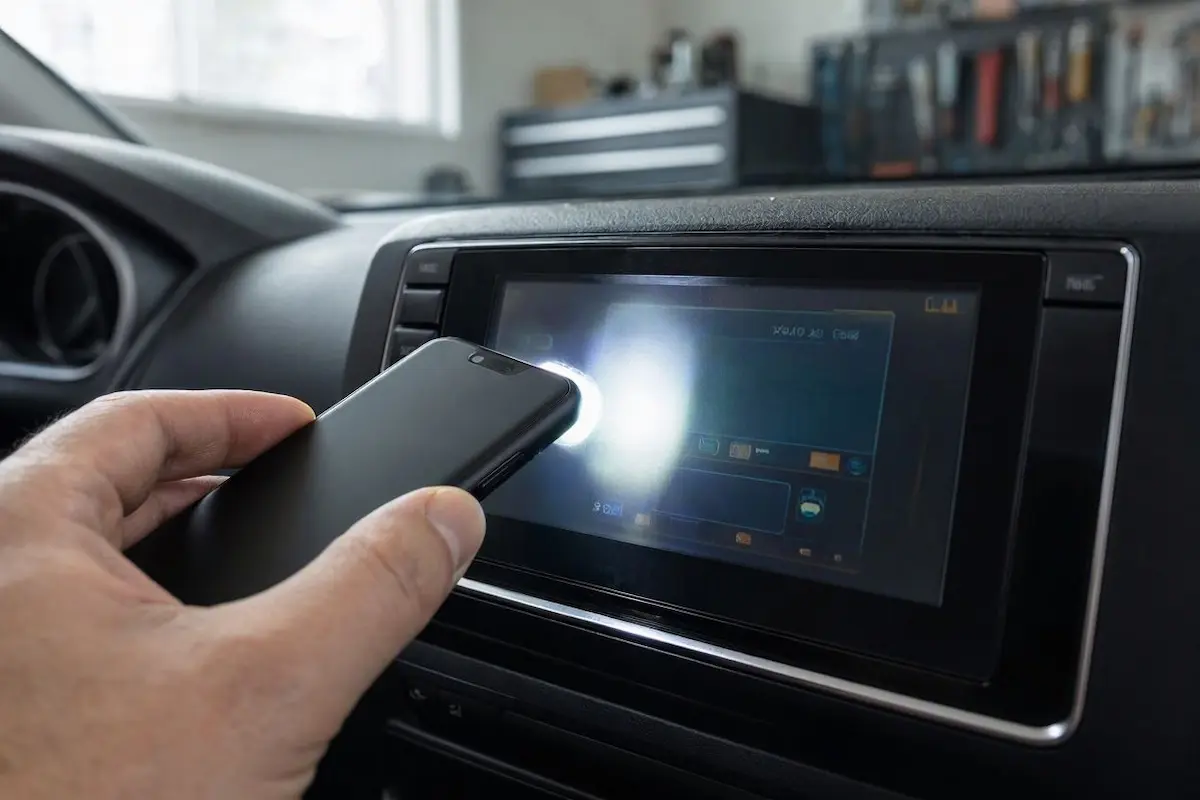
- Turn your vehicle ignition to ACC or ON so the radio begins playing audio through the cabin speakers.
- Park inside a shaded garage or turn off overhead dome lights to darken the cabin completely.
- Hold a bright smartphone flashlight directly against the radio display glass at a 45-degree angle.
- Inspect the illuminated circle on the glass closely:
- Faint Graphics Visible: If you can see faint clock digits, menu icons, or track titles under the concentrated beam, your core board, GPU, and LCD panel are fully operational. The fault is strictly isolated to the LED backlight strip or its power inverter.
- Zero Graphics Visible: If the glass remains uniformly dead with no faint outlines, the display driver IC has crashed or digital video data is disconnected. Proceed to the next step.
⚠️ Component Repair Notice: If the flashlight test reveals faint graphics on the glass, never replace the entire head unit. The failure is isolated to the backlight power circuit or ribbon cable, which can be repaired at a fraction of the cost of a replacement stereo.
RELATED TROUBLESHOOTING GUIDE
Step 2: Check “Display Off” Mode and Night Dimmer Lockouts
Accidental activation of system sleep timers is another common reason drivers find their car radio screen black but sound works without warning.
Most aftermarket and factory head units include a dedicated “Display Off” or “Blackout” feature.
This setting allows drivers to turn off distracting touchscreen backlights during nighttime highway driving while keeping music streaming and navigation voice prompts active:
- Android Dropdown Shade: Swipe down from the top edge of your touchscreen bezel. Look for a crescent moon or sun icon in the quick-settings tile menu and tap it to disengage display blackout mode.
- Volume Knob Long-Press: On Pioneer, Kenwood, and Sony head units, pressing and holding the rotary volume knob or power button for 3 seconds toggles “Screen Off” mode. Press the knob momentarily once to wake the display.
- Steering Wheel Controls: Certain factory CANbus integrations map display sleep toggles to double-tapping the steering wheel voice or mute button. Resolving this toggle eliminates instances where your car radio screen black but sound works purely due to a software state.
Step 3: Inspect the Orange Illumination / Dimmer Wire
An improper connection on the illumination circuit can cause an immediate blackout the moment vehicle exterior lights switch on.
Standard automotive radio harnesses include an Orange (Illumination) or Orange/White (Dimmer) wire designed to communicate with the vehicle’s dashboard lighting circuit.
When headlights turn on, a 12V signal travels down this wire to trigger nighttime brightness levels.
If this wire is spliced into a variable dashboard dimmer ground instead of a true switched 12V lighting circuit, the display driver collapses into 0% brightness, leaving a condition where your car radio screen black but sound works during night driving:
- Slide the radio chassis forward from the dashboard to expose the rear wiring loom.
- Locate the solid Orange or Orange/White wire on the harness. Check our guide on how to connect factory wiring to android head unit pins correctly.
- Inspect the terminal connection. If the wire is tied into an instrument cluster rheostat ground, it creates an inverted voltage loop.
- The Isolation Test: Disconnect the orange wire, insulate its bare tip with electrical tape, and turn the vehicle headlights ON. If the screen remains brightly lit with audio playing, the dimmer wiring was forcing the display shutdown.
Step 4: Reseat the Internal LVDS Video Ribbon Cable
Severe road vibrations and pothole impacts can unseat internal video connectors, causing a situation where a car radio screen black but sound works normally.
Inside the stereo chassis, audio signals travel directly along soldered motherboard PCB traces to the rear amplifier IC.
In contrast, digital video signals travel through a thin, flexible flat cable (FFC / LVDS ribbon) connecting the main processing board to the front LCD panel.
Mechanical shock can cause this ribbon cable to slip out of its zero-insertion-force (ZIF) socket:
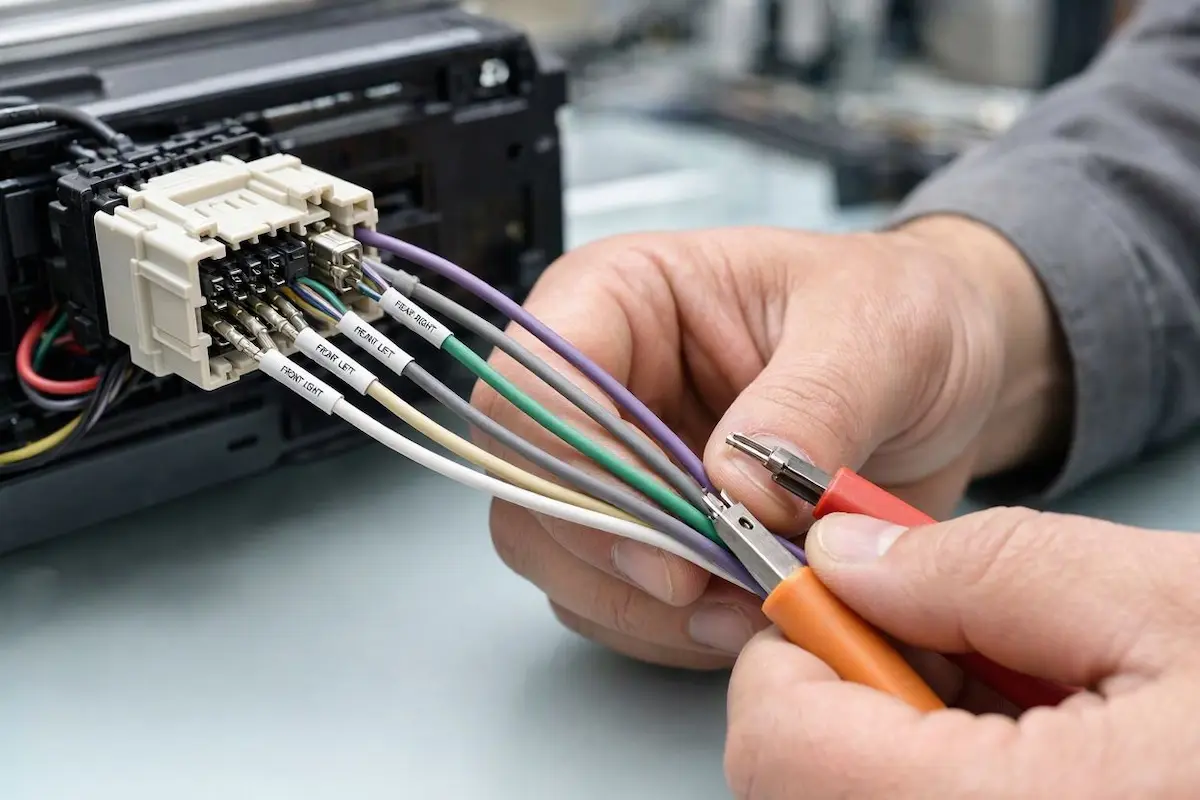
- Disconnect the stereo wiring harnesses and transfer the radio to a clean workbench.
- Remove the small Phillips screws securing the front touchscreen assembly to the metal chassis.
- Carefully open the front bezel to expose the flexible flat ribbon cable bridging the two internal circuit boards.
- Gently flip up the plastic locking bail on the ribbon socket and slide the cable out.
- Clean the exposed copper contacts with 99% isopropyl alcohol, reinsert the ribbon squarely into the socket, and snap the locking bail back into place.
- Reassemble the casing and reconnect vehicle power to verify display initialization. Reseating this cable clears problems where a car radio screen black but sound works after rough off-road driving.
RELATED TROUBLESHOOTING GUIDE
Step 5: Perform an MCU Hard Reset and Capacitive Power Drain
Automotive Android stereos use a dedicated Microcontroller Unit (MCU) to manage power sequencing, sleep states, and CANbus communication.
If a voltage dip occurs right as the vehicle engine cranks, the MCU can lock into an unpowered display state while allowing background audio daemons to boot normally.
Executing a cold system reset clears frozen register states, ending cycles where a car radio screen black but sound works whenever you start your engine:
- With the ignition in the ACC position and music playing, locate the recessed RST pinhole on the radio faceplate.
- Depress the internal button using a paperclip and hold it down for 15 seconds until the unit cycles off.
- If a pinhole reset fails to wake the display, execute a full capacitive hardware drain:
- Turn off the vehicle and disconnect the Negative (-) car battery terminal.
- Leave the battery unhooked for 20 full minutes to allow power supply capacitors inside the head unit to discharge completely.
- Reconnect the terminal and start the vehicle. This forces the GPU and display timing controller (T-CON) into a cold hardware reboot. If your unit is stuck cycling on reboot, consult our Android car stereo boot loop recovery guide.
RELATED TROUBLESHOOTING GUIDE
👉 Does your head unit screen flicker and reboot in an endless loop? Constant radio restart diagnosis →
Diagnosing an infotainment unit where audio plays while the screen stays dark comes down to separating display power delivery from audio amplification circuitry.
Performing the flashlight test to check for backlight failure, verifying the orange dimmer wire is not shorted to rheostat ground, and reseating the internal LVDS ribbon cable resolves the vast majority of display lockouts.
Following this workshop diagnostic sequence ensures your car radio screen black but sound works problem disappears permanently, returning full touchscreen capability to your dashboard without paying for a replacement stereo.
Frequently Asked Questions (FAQ)
Why is my car radio screen black but sound works?
When a car radio screen black but sound works error occurs, audio amplification and video processing are operating on independent internal circuits. While the 12V tuner and amplifier chips remain fully powered, the LCD backlight has blown, the internal LVDS video ribbon is loose, or the system is trapped in a display sleep state.
How can I tell if my car radio backlight is blown?
Turn on the radio so music plays, darken the vehicle cabin, and shine a bright smartphone flashlight directly against the glass at a 45-degree angle. If you can see faint outlines of menus, clock digits, or track names, the LCD processor is working but the backlight inverter or LED strip has failed.
Can a blown fuse cause a car radio screen to go black while sound still works?
Generally no. The main vehicle radio fuse supplies constant 12V power to the entire chassis. When that fuse blows, both display and sound die simultaneously. However, some luxury vehicles route power to external dashboard monitors through an independent auxiliary fuse.
Why did my car radio screen turn black after turning on the headlights?
This is caused by an improper connection on the radio’s orange illumination wire. If that wire is connected to a variable instrument cluster dimmer ground rather than a switched 12V lighting circuit, turning on the headlights drops display brightness to zero percent, creating an issue where a car radio screen black but sound works during nighttime driving.
[…] on to verify if power is restored to the display panel. You can also review our related guides on troubleshooting similar black screen and audio display faults or check our tips for fixing car stereos that keep restarting […]
[…] thread when the screen turns off or switches to another app. You can also review our guide on managing background power states and display tasks for similar head […]