
CarbitLink Registration Status Unregistered Fix: 4 Proven Steps
Fix carbitlink registration status unregistered errors on Android head units by correcting NTP time synchronization, activating Wi-Fi handshakes, and resetting server tokens.

Launching the CarbitLink screen casting application only to encounter a static QR code overlay with an infinite authentication loop stops your mobile integration completely.
Resolving a carbitlink registration status unregistered failure requires restoring cryptographic validation between the head unit’s operating system and the remote authentication servers.
In professional car audio workshop diagnostics, this registration lockout occurs on budget Allwinner, AC8227L, and Topway motherboards following a factory data reset, firmware upgrade, or extended battery disconnect.
Most vehicle owners mistake this for a broken USB cable or smartphone compatibility issue.
In reality, a persistent carbitlink registration status unregistered screen happens because the client software cannot validate the hardware motherboard UID with the Carbit validation gateway.
Before assuming your head unit is damaged or attempting to flash untested custom ROM files, running through a methodical bench isolation test will resolve the registration lockout in under ten minutes.
Here are four practical workshop procedures to troubleshoot a carbitlink registration status unregistered error and restore seamless phone projection.
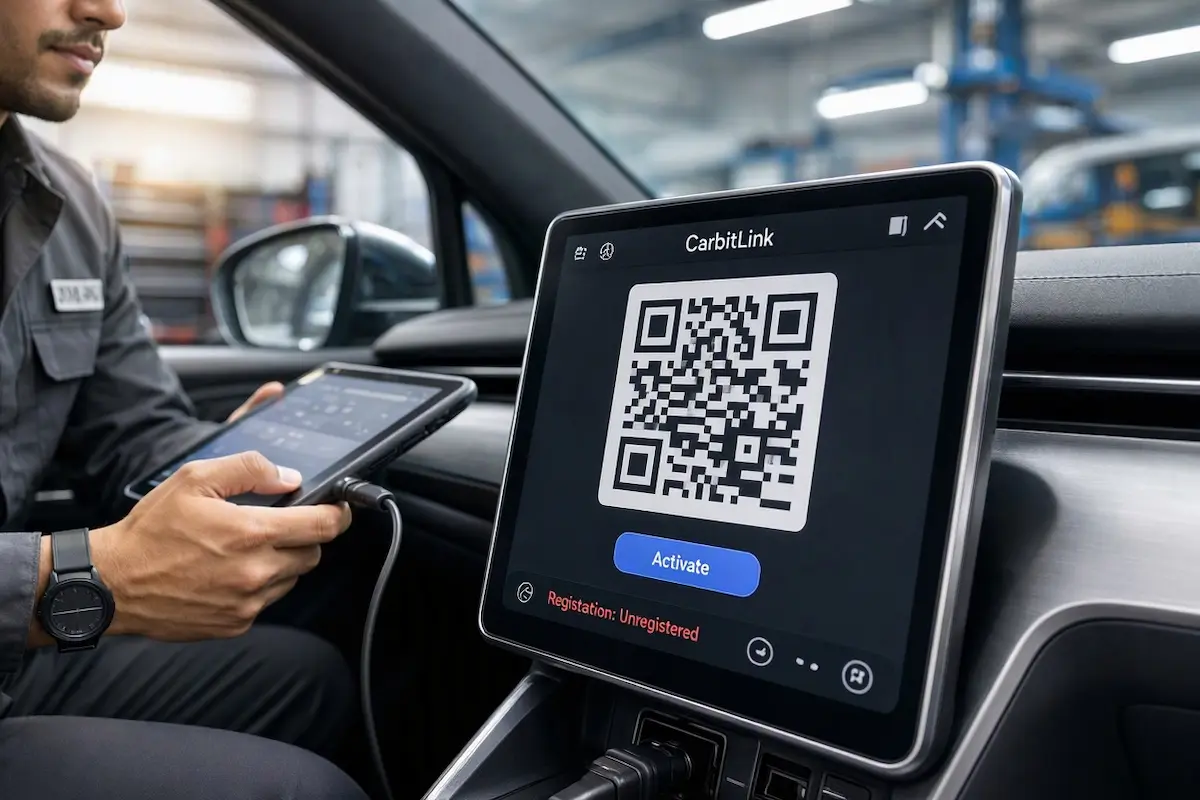
Diagnostic Matrix: Why CarbitLink Registration Fails
Cross-reference your head unit’s screen behavior and operational status against our workshop diagnostic matrix whenever a carbitlink registration status unregistered prompt locks your dashboard:
| Observed Screen Behavior | Underlying Software Root Cause | Immediate Workshop Action |
|---|---|---|
| QR code displays continuously with status marked “unregistered” | Head unit has no active internet path to query the Carbit licensing server. | Tether the stereo to a phone mobile hotspot and refresh the QR code. |
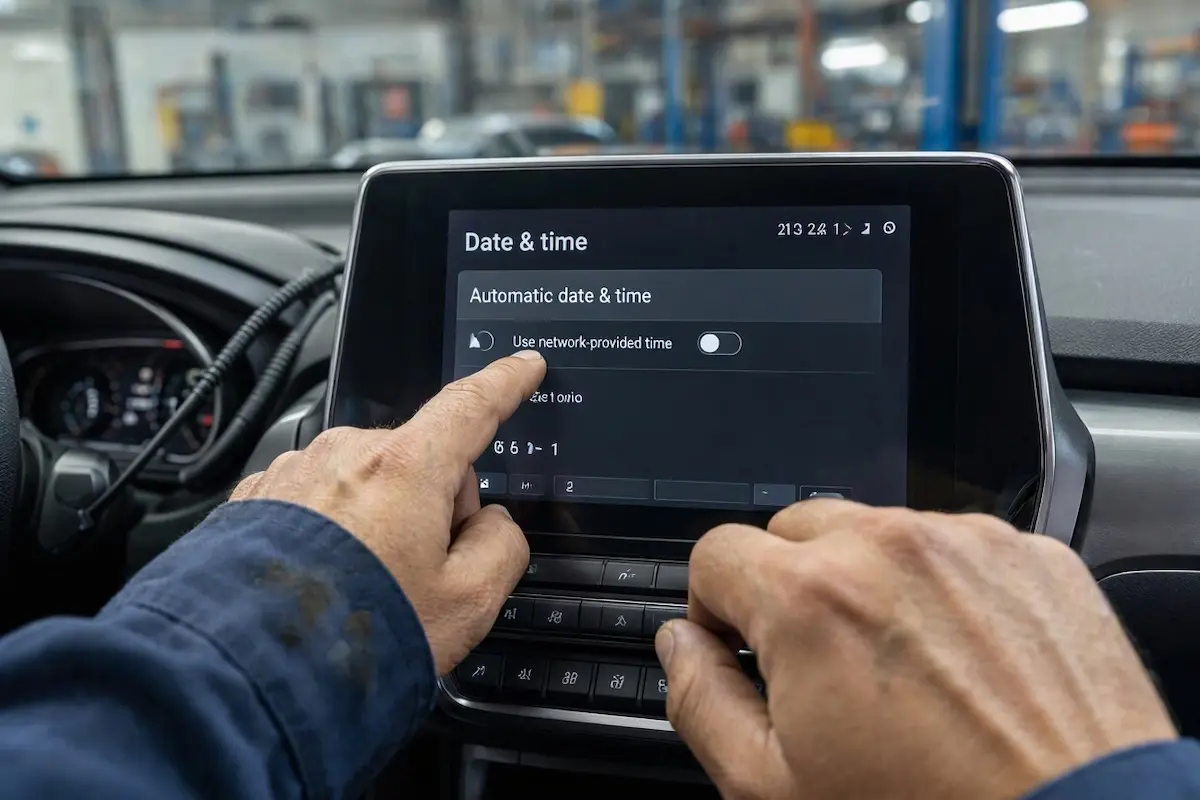
| Authentication spinner rotates endlessly without activating | System date and time out of sync with SSL certificate validation servers. | Enable network-provided time synchronization in Android system settings. |
| QR scan confirms on phone, but car screen remains unregistered | Corrupted local application cache or damaged device token file. | Clear app storage data and force restart the CarbitLink background daemon. |
| Status displays “expired” or “unauthorized hardware” | Motherboard UUID blacklisted or factory license omitted during assembly. | Bypass CarbitLink completely by installing Headunit Reloaded (HUR). |
Step 1: Establish Active Internet Hotspot Connection to Verify Server Token
CarbitLink operates on a digital token architecture where the pre-installed application must query its central server to validate the stereo’s internal hardware license.
If your head unit has never connected to an external Wi-Fi signal, it cannot authorize the token, resulting directly in a carbitlink registration status unregistered prompt:
- Enable the Personal Hotspot feature on your smartphone (ensure the 2.4 GHz band is enabled for older head unit Wi-Fi antennas).
- On your car stereo, navigate to Settings > Network & Internet > Wi-Fi and connect to your phone’s hotspot.
- Once an active data connection is verified, open the CarbitLink application on the dashboard.
- Tap the small circular refresh icon next to the “unregistered” text label on the screen.
- Allow 30 to 60 seconds for the system to exchange security keys. The status indicator will transition to “Registered” or “Activated”.
For more technical details on head unit network stacks, refer to the official Android Automotive Connectivity Guide.
RELATED TROUBLESHOOTING GUIDE
Step 2: Synchronize Network Time and Date Protocols
Automotive head units that remain disconnected from vehicle battery power lose internal clock timing, often reverting to January 1, 1970, or build release dates.
Because the authentication handshake uses encrypted SSL/TLS channels, an invalid system timestamp triggers an instant cryptographic rejection, causing a recurring carbitlink registration status unregistered fault:
- Open the primary Android Settings app on your stereo.
- Scroll down and select System > Date & Time.
- Toggle “Use network-provided time” and “Use network-provided time zone” to ON.
- If the stereo displays an incorrect year, temporarily turn off automatic time, manually set the current date, year, and minute, and re-enable automatic sync.
- Reopen CarbitLink; with system timing synchronized, security certificate validation will succeed immediately.
Step 3: Clear CarbitLink App Cache and Reset Hardware Binding
When firmware updates fail to clear temporary cache directories, the software gets locked in a localized execution loop that reads stale activation data.
This cache conflict prevents new tokens from binding, leaving the unit trapped in a carbitlink registration status unregistered condition.
Flushing local application storage forces the client to download a fresh server configuration profile:
- Go to Settings > Apps & Notifications > See All Apps.
- Locate CarbitLink (or EasyConnection on older units).
- Tap Force Stop, then select Storage & Cache.
- Tap Clear Cache, followed by Clear Storage (Clear Data).
- Reboot the head unit completely, maintain an active Wi-Fi internet connection, and launch the application to generate a new registration request.
⚠️ Workshop Warning: Never pay unauthorized online sellers claiming to sell activation license keys via WhatsApp or obscure links. Legit CarbitLink licenses are factory-provisioned; if your board lacks an authentic token, installing open-source projection emulators is the only secure, cost-effective solution.
RELATED TROUBLESHOOTING GUIDE
Step 4: Bypass Unlicensed Motherboards with Headunit Reloaded
Certain budget aftermarket units sold without proper digital certificates can never complete online registration because their unique chip serial numbers are omitted from the factory database.
If your device remains trapped on the carbitlink registration status unregistered screen despite having active internet and synchronized time, bypass the proprietary app entirely:
- Install Headunit Reloaded Emulator (HUR) directly from the Google Play Store or sideload the verified APK using a USB drive.
- HUR operates independently of CarbitLink licensing servers, communicating directly through Google’s native projection protocol detailed on official Android Auto standards.
- Configure phone developer projection permissions and connect via USB to enjoy full split-screen navigation and media streaming without activation locks.
- Review our guide on connecting factory wiring harnesses to Android units to ensure high-speed 4-pin data leads are properly routed.
RELATED TROUBLESHOOTING GUIDE
Eliminating a persistent carbitlink registration status unregistered error requires methodically checking network access and cryptographic sync parameters.
Providing the head unit with an active hotspot connection and verifying system date accuracy resolves the vast majority of server activation lockouts immediately without expensive motherboard replacement.
Follow these steps whenever a carbitlink registration status unregistered screen blocks your mobile casting link.
Frequently Asked Questions (FAQ)
Why does CarbitLink show “Registration status: unregistered”?
The application requires an initial internet connection to reach its central validation server and confirm the head unit’s pre-installed license certificate. Without internet or accurate system time, registration fails.
Do I have to pay to register CarbitLink on an Android head unit?
No. Legitimate Android head units come pre-licensed from the factory. If internet synchronization fails to activate the app, the board lacks factory certification, and installing an emulator like Headunit Reloaded is recommended.
Why does CarbitLink keep connecting for authentication without finishing?
This infinite loading loop is usually caused by an incorrect system date or time on the head unit, which causes the remote server’s SSL certificate validation handshake to fail.