
Ford SYNC CarPlay Black Screen? 5 Proven Fixes (100% Working)
Ford SYNC screen went pitch black the moment you plugged in your iPhone? Fix a ford sync carplay black screen error on SYNC 3 and SYNC 4 systems using our workshop-tested 10-second APIM two-button reboot, 2016 MFi USB hub upgrade guide, and APIM fuse reset steps.

Confronting an unexpected ford sync carplay black screen while your music or navigation audio continues playing smoothly through the cabin speakers points to a video pipeline rendering stall rather than a destroyed LCD panel or a blown dashboard fuse.
Ford SYNC 3 and SYNC 4 infotainment architectures process smartphone projection through the Accessory Protocol Interface Module (APIM).
The APIM is a dedicated automotive computer mounted directly behind the dashboard touch display.
The APIM separates incoming mobile data into distinct hardware pipelines.
Standard digital audio streams are decoded across direct USB media endpoints.
Conversely, Apple CarPlay visual frames require continuous H.264 hardware decoding compliant with official Apple CarPlay connection guidelines.
If the APIM’s video compositor stalls during handshake authentication, or if the factory media hub lacks Apple’s hardware security chip, video rendering terminates instantly.
Meanwhile, the outgoing speaker sound continues completely unobstructed.
In our workshop bench testing, this failure is almost never an unrecoverable module defect.
Before paying for expensive dealership module replacements, fifteen minutes of structured bench troubleshooting will isolate whether the screen blackout is caused by an APIM volatile memory freeze, a corrupted iOS resolution profile, or a missing hardware crypto token.
Here are five practical workshop steps to resolve why a ford sync carplay black screen occurs and restore full touchscreen projection.
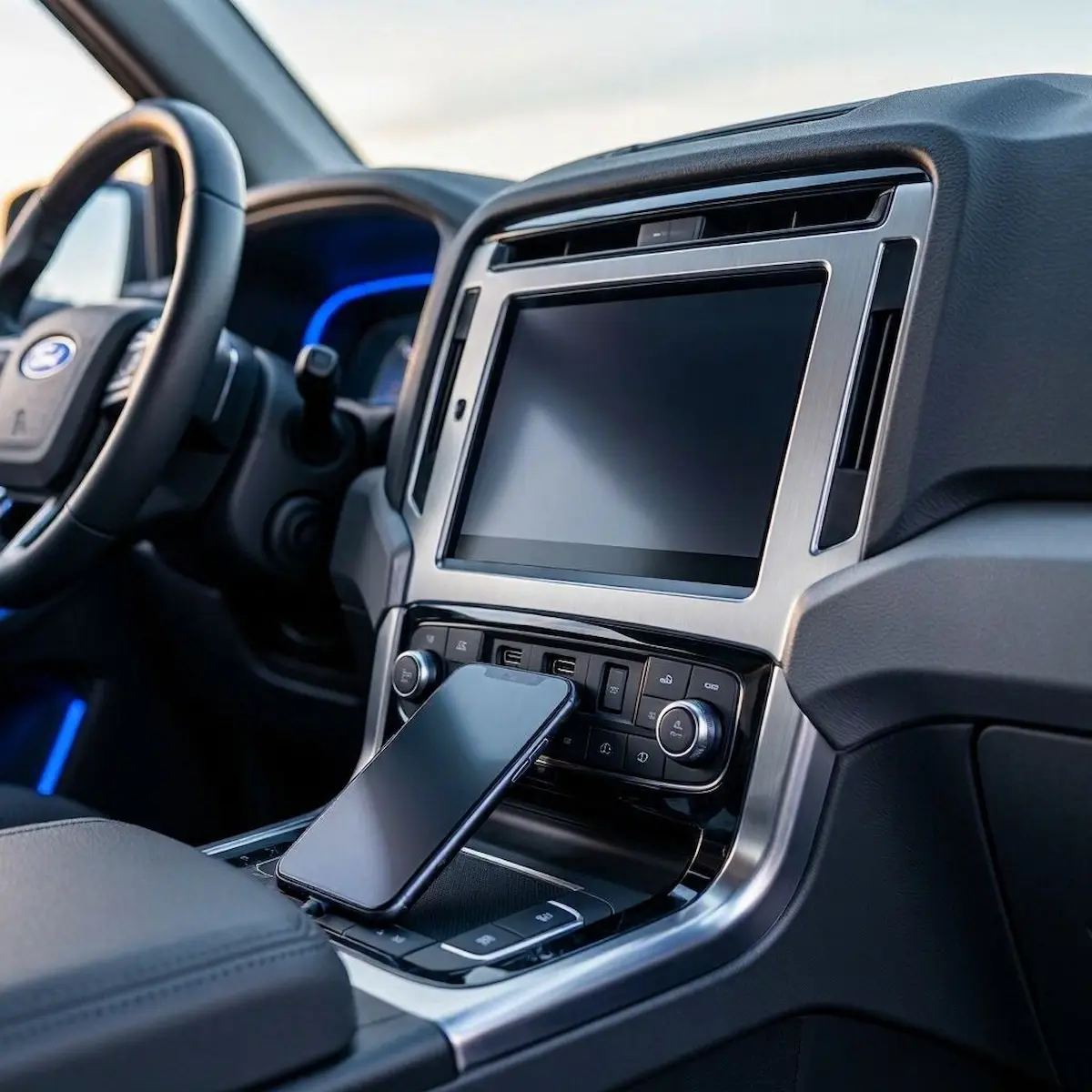
Diagnostic Matrix: Why a Ford SYNC CarPlay Black Screen Occurs
Match your specific vehicle symptoms against our workshop failure matrix to isolate a ford sync carplay black screen before pulling dashboard trim panels:
| Observed Vehicle Symptom | Underlying Hardware / Software Cause | Immediate Workshop Action |
|---|---|---|
| Audio plays normally; touchscreen is solid black | APIM H.264 video rendering pipeline handshake timeout. | Perform a two-button hardware soft reboot (Power + Seek Right). |
| “USB Hub Not Supported” error appears on screen | Pre-2017 factory center console hub lacks Apple MFi crypto chip. | Upgrade USB module to genuine Apple-compatible OEM CarPlay hub. |
| Display turns black immediately after shifting out of reverse | SYNC video multiplexer buffer freeze during camera handoff. | Perform an APIM power drain or execute an official SYNC build update. |
| CarPlay connects, flashes black, and drops back to Ford menu | Stale iOS display resolution profile or corrupted projection cache. | Select “Forget This Car” on iPhone and execute a phone hard reboot. |
| Screen stays black across both CarPlay and native Ford menus | APIM module locked in low-voltage CANbus sleep latch-up. | Pull the SYNC / APIM fuse (Fuse #32 or #33) for 15 full minutes. |
Step 1: Perform the Two-Button SYNC APIM Soft Reboot
The single most effective immediate fix when troubleshooting a ford sync carplay black screen is executing a forced hardware soft reboot of the APIM module.
When you switch off your vehicle’s engine and lock the doors, the SYNC computer does not fully shut down.
Ford vehicles maintain the APIM in a low-power retained accessory sleep state for up to 45 minutes to enable instant two-second boot times upon restarting.
If the video rendering engine encounters a buffer overflow, that frozen state remains locked in volatile RAM until you command a forced hardware reset:

- Ensure your vehicle ignition is switched to the ON / RUN position or keep the engine idling.
- On Ford SYNC 3 Systems (Physical Buttons): Simultaneously press and hold the Audio Power button (the center volume knob) and the Seek Forward button (>>|) on the dashboard.
- Maintain firm pressure on both buttons for 10 full seconds.
- Release both buttons the exact millisecond the display glass goes dark and you see the Ford startup splash animation appear.
- On Ford SYNC 4 Systems (Vertical Screens without Knobs): If you drive a newer Mustang Mach-E, F-150 Lightning, or Explorer with a 12-inch or 15.5-inch portrait display, press and hold the Volume Down button and the Seek Right (>>|) button directly on your steering wheel controls for 10 seconds.
Flushing the volatile memory cache eliminates locked display buffers, permanently resolving instances where a ford sync carplay black screen prevents visual navigation.
⚠️ Firmware Distinction: Executing a two-button soft reboot flushes volatile system RAM and clears video handshake buffers without deleting your saved radio stations, paired Bluetooth phones, or navigation addresses.
RELATED TROUBLESHOOTING GUIDE
Step 2: Upgrade 2016 Factory Media Hubs for Apple MFi Compatibility
If you drive a 2016 model-year Ford vehicle (such as a 2016 F-150, Mustang, Explorer, Escape, or Fusion) equipped with first-generation SYNC 3, a hardware limitation is the root cause behind your display problems.
While 2016 Ford USB ports natively support Android Auto, Apple mandates an onboard hardware cryptographic authentication chip (MFi) embedded inside the physical USB hub.
When you plug an iPhone into a 2016 factory port, the system may show a brief “USB Hubs are not supported” alert.
The console then locks into an unresponsive state where the ford sync carplay black screen persists continuously:
- Identify Your Current Hub: Remove the center console USB module. If the part number on the white sticker begins with
GC3T, it is an early non-Apple compliant hub that physically cannot process CarPlay video streams. - Source the OEM Apple-Certified Hub: Order a genuine Ford replacement media hub:
- Dual USB-A Ports: Ford Part #
HC3Z-19A387-B(orGJ7Z-19A387-Bfor smaller Lincoln/Fusion consoles). - USB-C & USB-A Upgrade: Ford Part #
LB5Z-19A387-B(allows high-speed modern Type-C connections).
- Dual USB-A Ports: Ford Part #
- Installation: Insert a plastic trim tool into the seam of the center console USB bezel, pop the old hub out, disconnect the gray mini-USB data lead and 12V power pigtail, plug in the new hub, and snap it back into the dash.
Upgrading to an MFi-compliant module cures hardware rejections that leave a ford sync carplay black screen message lingering on pre-2017 dashboards.
Step 3: Flush Corrupted iOS Projection Resolution and Security Tokens
During major iOS updates, Apple routinely modifies projection resolution timing and encryption handshakes.
If your vehicle APIM attempts to stream video using outdated cryptographic keys, the iPhone transmits audio while dropping the video container entirely.
Purging these cached profiles rebuilds the video pipeline from scratch, eliminating another common reason why a ford sync carplay black screen stalls morning commutes:
- On your iPhone, open Settings → General → CarPlay.
- Under My Cars, tap your vehicle profile (typically labeled
SYNC 3,Ford F-150, or your model name). - Tap Forget This Car and confirm the prompt.
- Navigate to Settings → Screen Time → Content & Privacy Restrictions → Allowed Apps, and verify that the switch for CarPlay is toggled ON.
- Perform a hard hardware reboot on your iPhone:
- Quick-press and release the Volume Up button.
- Quick-press and release the Volume Down button.
- Press and hold the Side Power button continuously until the screen goes black and the Apple logo appears.
- Reconnect the iPhone using an original Apple cable and select “Allow CarPlay While Locked” on the pop-up prompt.
RELATED TROUBLESHOOTING GUIDE
Step 4: Pull the SYNC / APIM Fuse to Clear CANbus Sleep Latch-Up
If your ford sync carplay black screen condition remains frozen across vehicle key cycles, the APIM module has likely experienced a CANbus latch-up lock.
During voltage fluctuations or interrupted key-off cycles, internal power management ICs on the APIM circuit board can freeze in a half-awake state.
Pulling the dedicated module fuse cuts unswitched battery power, draining internal capacitors and forcing a true cold boot:
- Turn off the vehicle engine, pull the key, and open the driver’s door for 60 seconds to terminate Retained Accessory Power (RAP).
- Locate the interior passenger-side fuse box (located behind the plastic kick panel trim beneath the glove box).
- Consult your owner’s manual for your vehicle’s specific SYNC / APIM Fuse number:
- Ford F-150 (2015–2020): Fuse #32 (10A Red) in the passenger kick panel.
- Ford Explorer (2016–2019): Fuse #33 (10A Red) in the driver dash fuse box.
- Ford Mustang (2015–2023): Fuse #32 (10A Red) in the passenger footwell.
- Use a plastic fuse puller to extract the 10A fuse and let the vehicle sit undisturbed for 15 full minutes to allow all internal capacitors to drain completely.
- Reinsert the fuse firmly into its socket, start the vehicle engine, and allow SYNC two minutes to rebuild its boot tables. If your vehicle suffers from dead batteries after sitting parked, review our diagnostic guide on how to fix car stereo battery drain.
Draining the circuit completely terminates underlying processor locks that keep a ford sync carplay black screen active after overnight parking.
Step 5: Resolve Backup Camera Multiplexer Switching Lockups (Master Reset)
A widely reported glitch among Ford truck and SUV owners occurs when shifting out of reverse.
The touchscreen displays the backup camera feed perfectly.
However, the moment you shift back into Drive, the screen fails to switch back to the CarPlay projection layer.
The center console remains completely dark while radio audio plays continuously in the background.
This glitch is triggered by a software deadlock inside the APIM’s internal video multiplexer, causing an annoying ford sync carplay black screen defect across shift cycles:
- Disconnect all iPhones, USB thumb drives, and charging cables from center console ports.
- On the SYNC touchscreen, tap Settings → General.
- Scroll to the bottom of the menu and select Master Reset.
- Confirm the warning prompt to restore factory defaults.
- Allow 3 to 5 minutes for the APIM to reformat internal user partitions and reboot from the Ford splash screen.
- Once restarted, connect your iPhone via USB to complete a clean initial projection handshake. If your backup camera displays blue screens or static, consult our guide on fixing reverse camera video signal loss. Check our harness guide on how to connect factory wiring to android head unit ports if you need wiring details.
RELATED TROUBLESHOOTING GUIDE
👉 Experiencing black screens on Android Auto instead? Android Auto black screen workshop fixes →
Diagnosing a ford sync carplay black screen comes down to separating audio streaming channels from H.264 video rendering.
Performing a two-button APIM soft reboot, upgrading pre-2017 consoles with genuine Apple-certified MFi USB hubs, and pulling the APIM fuse to break CANbus latch-up restores full navigation and media display.
Following this structured diagnostic sequence ensures your ford sync carplay black screen trouble is resolved permanently without needing an expensive trip to the dealership.
Frequently Asked Questions (FAQ)
How do I reset my Ford SYNC screen without turning off the vehicle?
On SYNC 3 systems, press and hold the physical Audio Power button (center volume knob) and the Seek Right (>>|) button simultaneously for 10 seconds. On SYNC 4 vertical touchscreens, hold the Volume Down and Seek Right buttons on the steering wheel controls for 10 seconds until the Ford splash screen reboots.
Why does a ford sync carplay black screen happen while audio keeps playing?
When a ford sync carplay black screen occurs, audio streams across standard low-bandwidth USB audio endpoints, while CarPlay video requires real-time H.264 hardware decoding by the APIM module. If the video rendering engine encounters a resolution handshake mismatch or memory overflow, video projection stalls while audio continues playing unobstructed.
Why does my SYNC screen turn black when shifting out of reverse?
This occurs when the APIM’s internal video multiplexer freezes during the transition from the analog backup camera feed back to the digital CarPlay projection layer. Executing a two-button soft reboot or performing a Master Reset in SYNC settings clears this video switching deadlock.
Will a master reset delete my personal navigation addresses and phone contacts?
Yes. Executing a Master Reset restores the Ford SYNC system to factory specifications, deleting saved radio presets, paired phone lists, and custom navigation waypoints. However, it does not alter core vehicle ECU calibration or odometer mileage.