
How to Fix Android Car Stereo Draining Battery Overnight (Step-by-Step Guide)
Waking up to a completely dead car battery after installing a new touchscreen? Learn how to fix crossed ACC and Yellow wires, tweak head unit sleep settings, and stop android car stereo battery drain overnight.

You turn the key in the morning, and nothing happens. Just a sad click, dim dashboard lights, and a completely dead engine. If you recently fitted an aftermarket touchscreen in your dash, you are almost certainly dealing with an android car stereo battery drain.
Before you get stressed and buy an expensive replacement battery, take a breath. In almost every car bench-tested with this issue, both the vehicle battery and the head unit itself were completely functional. The real trouble usually comes down to crossed power wires during installation, or a stubborn software standby setting that refuses to enter deep sleep.
Here is why an android car stereo battery drain happens and how you can track it down step by step.
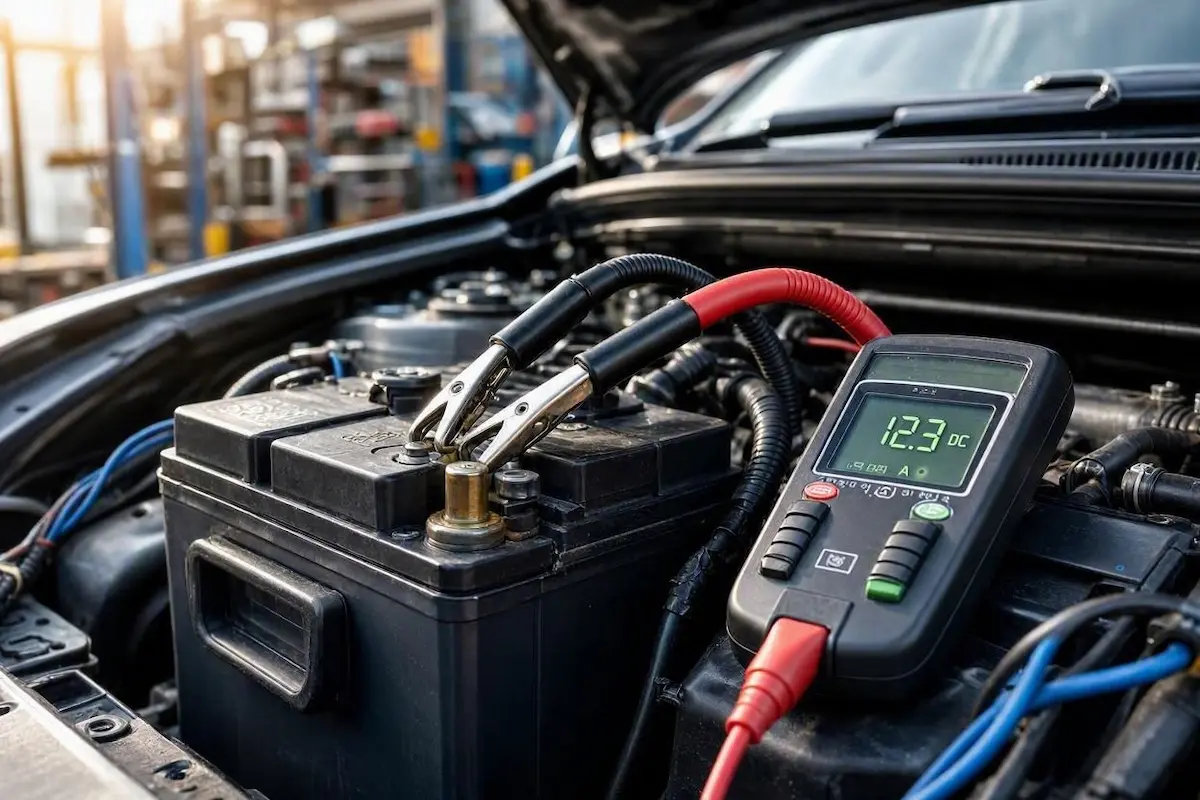
Why Does an Aftermarket Screen Kill Your Battery?
Every modern vehicle draws a tiny amount of juice while parked. The engine control unit (ECU), keyless entry receivers, and security alarm all need a gentle pulse of power to stay ready. In a normal vehicle, this standby parasitic draw sits comfortably between 20mA and 50mA (0.02A to 0.05A).
When an unexpected android car stereo battery drain takes place, your head unit never truly powers down when you lock up. Instead, it pulls anywhere from 400mA to well over 1000mA (0.4A to 1.0A) continuously. That persistent current draw can flatten a healthy 45Ah or 60Ah starter battery in under 24 hours.
1. Swapped Power Wires Causing Android Car Stereo Battery Drain
Incorrect harness wiring is the primary cause of sudden android car stereo battery drain on newly installed head units. Android stereos rely on two separate 12V power leads that determine how the operating system boots and sleeps:
- The Yellow Wire (B+ / Constant 12V): This wire stays attached to your car battery 24/7. It does not run the amplifier or display backlight; it only draws microamps to preserve your clock time, equalizer presets, and paired Bluetooth devices.
- The Red Wire (ACC / Switched 12V): This is the hardware trigger wire. It connects to your ignition barrel or accessory relay. When you turn your ignition key to “ON”, this wire receives 12V to wake the screen. When you switch off the car, this wire must drop to zero volts immediately.
What installers get wrong: Local accessory installers often twist the Red and Yellow wires together and splice both into a constant 12V feed to speed up installation. When wired this way, tapping the soft “Power” button on the glass only turns off the LCD backlight. The Android SoC, internal DSP, and Wi-Fi antennas remain powered all night.
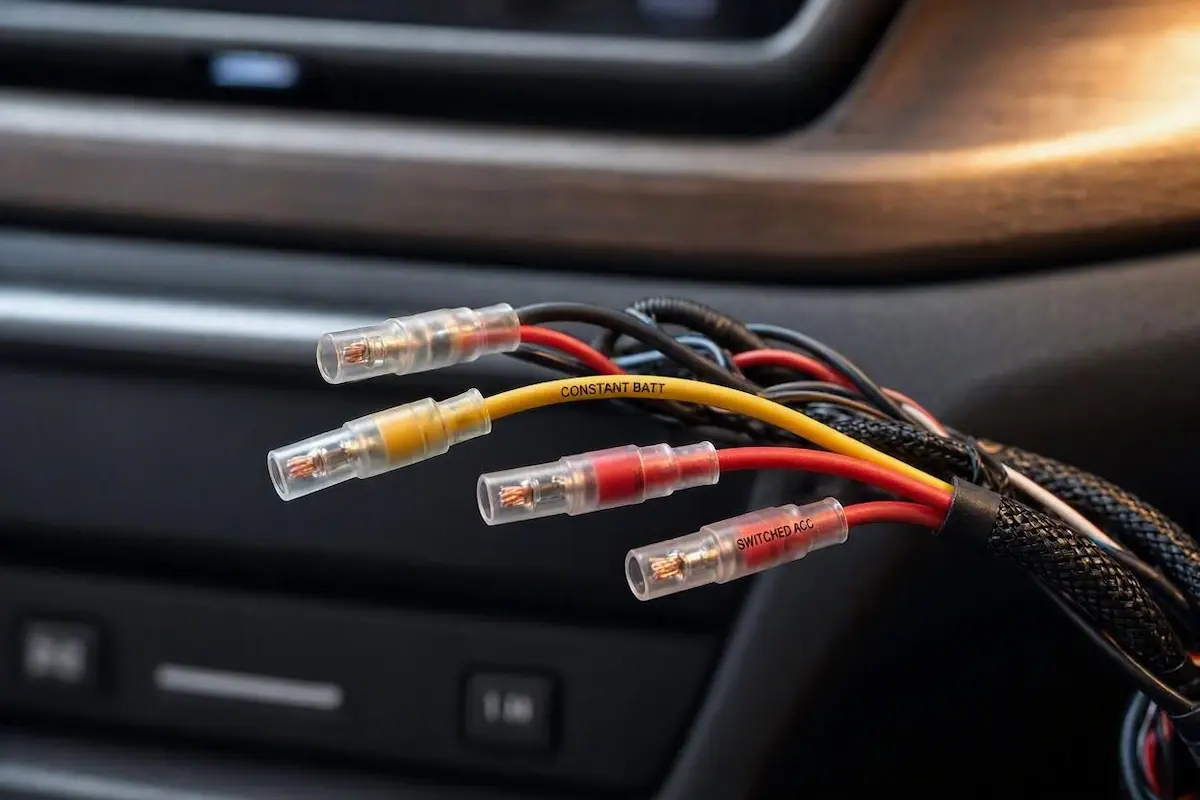
Power Harness Wire Color Guide
| Wire Color | Stereo Label | Correct Vehicle Circuit | Multimeter Reading (Key OFF) |
|---|---|---|---|
| Yellow | B+ / Battery / Memory | Direct constant 12V circuit | 12.4V – 12.8V Always |
| Red | ACC / Switched Ignition | Switched accessory circuit | 0.0 Volts (Must be dead) |
| Black | GND / Ground | Chassis bare metal ground | Chassis Ground (-) |
| Blue / White | AMP-CON / Remote Turn-On | External amplifier trigger | 0.0 Volts (Key OFF) |
The quick multimeter test: Pull your head unit out slightly to reach the main harness plug. Clip the black multimeter lead to unpainted vehicle chassis metal and touch the red probe to the Red (ACC) pin. Turn your car key completely to OFF. If the meter reads 12V, your Red wire is connected to permanent battery power. Move that Red wire to a true ignition-switched fuse using an Add-a-Circuit fuse tap.
2. Turn Off the Fast Boot Standby Setting
If your wiring checks out clean but you still face an android car stereo battery drain, your operating system sleep policy is likely misconfigured. Most aftermarket platforms (Allwinner T3L, T5, Topway TS10, and FYT boards) come with a feature called Fast Boot.
Fast Boot keeps the system in an ultra-low standby state instead of executing a complete Android shutdown, allowing the display to wake in two seconds. However, if a background media process freezes or the Wi-Fi card hangs, Fast Boot will draw excessive standby current continuously.
To enforce a full power-down sequence:
- Open the stereo app drawer and navigate to Car Settings → Factory Settings. (If your unit requires an unlock PIN, check our master list of Android car stereo factory settings passwords).
- Scroll to the Power or Sleep Mode options tab.
- Locate the setting labeled Auto Sleep or Shutdown Delay.
- Switch the setting from Always Sleep to “Shut down completely” or “Power off after 5 minutes”.
Once disabled, starting your vehicle after parking should display the vehicle boot logo for approximately 15 to 20 seconds. If you want to update this boot screen to match your vehicle’s factory badge, refer to our walkthrough on how to change boot logo in Android car stereo.
3. Test Your CANbus Decoder for Sleep Errors
A mismatched digital decoder box is another primary reason for overnight android car stereo battery drain in modern vehicles equipped with steering wheel controls. Decoder modules (such as Raise, Hiworld, or Simple Soft) translate digital vehicle commands into analog signals for the head unit.
If your stereo runs outdated CANbus software, the adapter can flood your vehicle’s Controller Area Network with polling packets after the ignition is turned off. This prevents your vehicle’s Body Control Module (BCM) from entering sleep mode, flattening the starter battery from the car side.
To confirm whether your decoder is responsible, follow our configuration steps to set up your Android car stereo CANbus protocol correctly. Alternatively, perform an overnight isolation test: unplug the CANbus box connector before parking overnight. If your engine cranks cleanly the following morning, update the CANbus protocol or replace the module.
4. Check Your External Amp Remote Wire
If your vehicle is equipped with an under-seat active subwoofer or an aftermarket 4-channel power amplifier, inspect the thin Blue or Blue/White lead originating from the stereo harness.
This wire acts as a 12V switch to power on the external amplifier. If an installer spliced the amplifier’s remote turn-on terminal into the Yellow constant wire rather than the dedicated Blue remote lead, the amplifier will remain energized around the clock, draining 1A to 2A of current continuously.
5. Measuring Parasitic Draw With a Multimeter
Before disassembling dashboard panels, verify whether your android car stereo battery drain is active using professional automotive testing techniques, consistent with industry-standard parasitic draw testing practices:
- Pop the hood, turn off the engine, remove the key, and trip your hood latch shut with a screwdriver so the vehicle electronics register the hood as closed.
- Lock the car using the key fob and wait 15 to 20 minutes for all vehicle control modules to enter sleep mode.
- Loosen the nut on your Negative (-) battery terminal.
- Set your digital multimeter to 10A DC mode (confirm the red probe is inserted into the fused 10A socket).
- Place one multimeter probe firmly onto the negative battery terminal post and the other probe onto the loose negative cable clamp. Carefully lift the clamp off the battery post without breaking probe contact to maintain the circuit loop.
Evaluate your multimeter display:
- 0.02A to 0.05A (20mA – 50mA): Normal standby current. The vehicle is sleeping correctly.
- 0.35A or higher (350mA+): Active parasitic current leak. Have a helper remove the aftermarket radio fuse from the cabin fuse block while observing the display. If current consumption drops instantly to 0.03A, the stereo circuit is confirmed as the draw source.
Frequently Asked Questions
Can a faulty reverse camera trigger an android car stereo battery drain?
Yes, but only if the installer powered the camera using a permanent 12V wire instead of the reverse light bulb circuit. If your camera is wired incorrectly or fails to show video, review our guide to fix reverse camera no signal on Android car stereo.
Why does my stereo reset its clock and presets every time I start the car?
If your head unit loses saved radio stations and time presets upon startup, the Red and Yellow power wires are reversed. When the constant memory pin is tied to the switched ignition circuit, memory data is wiped every time the key is removed. Follow our detailed fix on how to fix Android car stereo time reset issues to restore proper memory retention.
Will installing an in-line toggle switch fix parasitic battery drain?
Yes. If you have an unbranded Android head unit with an internal hardware defect that prevents the MCU from shutting down, installing an inline toggle switch along the Red (ACC) wire allows you to manually cut power before leaving the car parked for extended periods.
Verifying that the Red ACC wire drops to 0V with the ignition off, disabling Fast Boot standby, and validating your CANbus configuration eliminates an android car stereo battery drain permanently, ensuring your car starts reliably every morning.
[…] Swapped Constant and ACC Power Leads: The Yellow wire (B+) provides uninterrupted 12V power to preserve system RAM, clock time, and custom settings. The Red wire (ACC) only tells the display to wake up. If an installer swapped these or bridged them together, the motherboard suffers a hard power cut on key-off, resetting your boot configuration. If you experience power cuts or dead batteries, read our guide on fixing car stereo battery drain. […]
[…] shorted. If your CAN box stays warm to the touch even when the car is turned off, read our guide on fixing car stereo battery drain to prevent the decoder from pulling continuous parasitic […]
[…] If your car battery repeatedly discharges overnight after testing, follow our car stereo battery drain troubleshooting guide. […]
[…] your CAN box stays warm hours after turning off the engine, follow our guide on fixing car stereo battery drain to prevent parasitic current […]
[…] Proper gain matching keeps the audio signal well above the electrical noise floor, silencing background hums. If your car battery is aging or drains rapidly while the engine is off, consult our guide to troubleshoot car stereo battery drain. […]
[…] Connecting a budget Android head unit directly to 2-Ohm speakers forces the amplifier IC to draw double its rated current. The chip will get blisteringly hot within 5 to 10 minutes of playback, reach its 150°C thermal ceiling, and shut down all audio until the car cools down. If your unit cuts out only while driving or playing music loudly, verify your speaker resistance and monitor your electrical system health with our car stereo battery drain guide. […]
[…] Port assembly (jaise Part No. 86257AN01A) mangwa sakte hain. Yeh badalna behad aasan hai aur aapki car electrical system stability ko bhi behtar banata […]