
Android Car Stereo Time Reset? 5 Easy & Proven Fixes (100% Working)
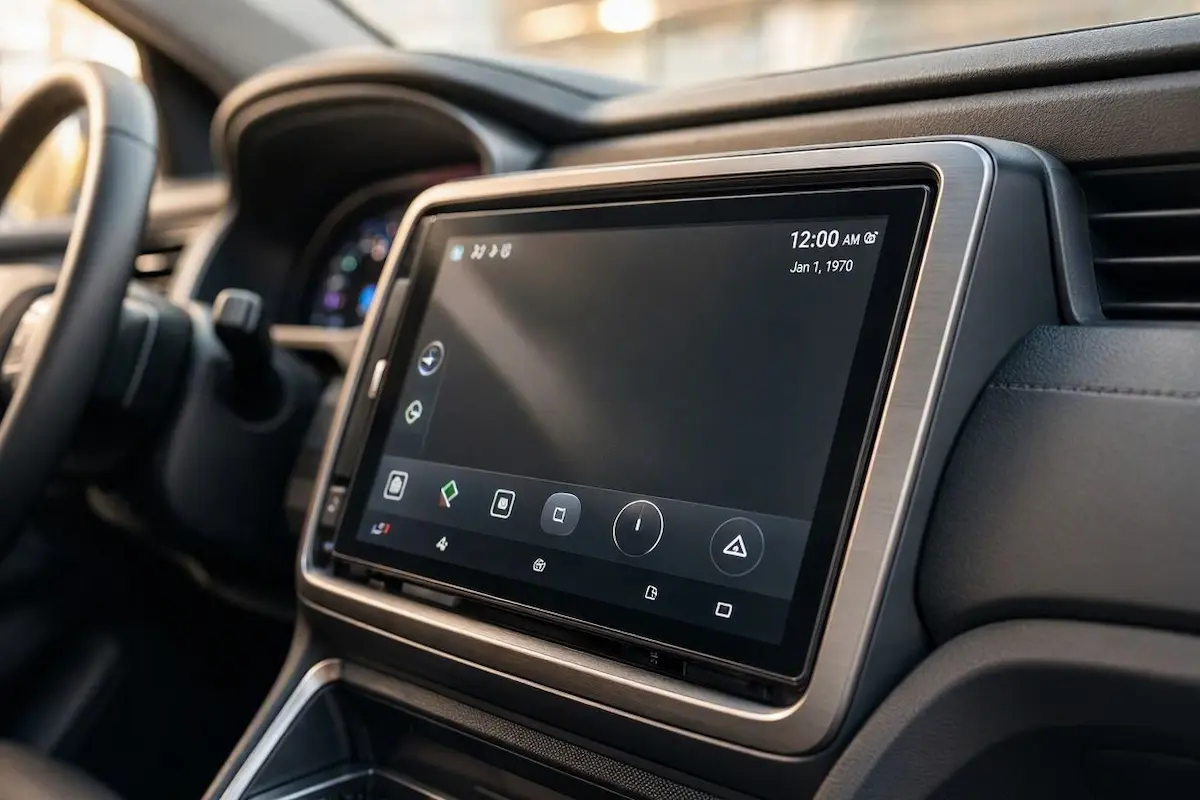
Does your touchscreen clock reset to 12:00 AM or 1970 every time you turn off the car? Fix an android car stereo time reset glitch by swapping reversed Yellow/Red harness pins, enabling GPS time sync, and adjusting standby sleep settings.

Diagnosing an unexpected android car stereo time reset that leaves you staring at 12:00 AM or January 1, 1970 every time you turn the ignition off exposes a loss of continuous power rather than a destroyed motherboard.
Unlike home computers and older analog head units, over 95% of aftermarket Android touchscreens do not contain a replaceable CR2032 coin cell battery.
Extreme automotive cabin temperatures degrade lithium coin cells within months, forcing manufacturers to design circuit boards without them.
Instead, modern car touchscreens rely on an unbroken +12V battery line routed through the main harness plug.
This constant voltage rail keeps the Real-Time Clock (RTC) chip running and preserves fast-boot standby RAM.
When that continuous 12V circuit is interrupted, the head unit drops completely back to its baseline Unix epoch timestamp.
In our workshop bench testing, this failure is almost never an unrecoverable semiconductor fault.
Before pulling apart dashboard trim panels or paying for electrical diagnostics, running through these five practical bench checks will isolate whether you are dealing with swapped harness pins or misconfigured Android operating system settings.
Here are five direct steps to resolve an android car stereo time reset and ensure your dashboard keeps accurate time permanently.
Diagnostic Matrix: Why an Android Car Stereo Time Reset Occurs
Match your startup symptoms against our workshop matrix to isolate an android car stereo time reset before pulling dashboard trim tools:
| What You See On Screen | Underlying Electrical / Software Cause | Immediate Workshop Action |
|---|---|---|
| Resets to 12:00 AM / 1970 on every key-off | Yellow (B+ Constant) and Red (ACC Switched) wires reversed. | Swap Pin 4 and Pin 7 bullet connectors behind radio harness. |
| Minutes are spot on, but hour jumps 4–8 hours | Android system defaulting to Beijing (GMT+8) or UTC offset. | Turn off automatic time zone; set regional offset manually. |
| Time fixes itself 2–3 minutes into a drive | Operating system waiting for a GPS satellite lock to update clock. | Move external GPS puck to top dashboard glass away from metal pillars. |
| Clock, radio stations, and EQ settings all wipe | Blown vehicle “Radio / Backup / Dome” fuse in car fuse block. | Check constant wire with multimeter; replace blown 10A/15A fuse. |
| Screen takes 40+ seconds to boot instead of instant-on | MCU power management set to “Hard Shutdown” instead of Sleep mode. | Switch sleep mode to “Auto Sleep” or “Sleep 2 Days” in Factory Settings. |
Step 1: Swap the Inverted Yellow (B+) and Red (ACC) Power Wires
By far the most common electrical issue behind an android car stereo time reset is an inverted 12V wiring pinout in your aftermarket harness adapter.
Under international automotive standards (ISO 10487), car stereos require two distinct +12V power feeds to work properly:
- Yellow Wire (Constant +12V Battery / B+): Connects directly to the car battery and must supply continuous 12V power 24/7. It draws a tiny 5mA to 15mA in the background to keep the internal RTC chip alive, hold station presets in NVRAM, and preserve fast-boot standby RAM.
- Red Wire (Switched +12V Accessory / ACC): Carries 12V power only when the key sits in ACC or ON. It serves as an on/off logic trigger telling the stereo’s power management circuit to turn on the screen and fire up the amplifier.
- The European & Asian Harness Trap: In many vehicles (especially Volkswagen, Audi, Peugeot, Renault, and specific Maruti/GM adapter leads), Pin 4 and Pin 7 come reversed from the factory. If you plug in an aftermarket radio without checking, your Yellow memory wire ends up feeding off the switched accessory circuit. The instant you turn off the car, battery voltage to the memory board drops to zero, wiping the clock. Check our guide on how to connect factory wiring to an android head unit to verify harness pinouts.
Correcting this inverted power feed permanently stops an android car stereo time reset caused by cut constant memory circuits.
⚠️ Quick Multimeter Check: Slide the head unit out far enough to reach the rear harness. Set your digital multimeter to DC Volts. Touch the black ground lead to bare chassis metal and probe the Yellow wire with the car keys out of the ignition. You should see 12.4V to 12.8V. If it shows 0.0V, your Yellow lead is wired to the switched accessory line. Unplug the harness bullet connectors and swap the Red and Yellow leads.
RELATED TROUBLESHOOTING GUIDE
Step 2: Change Time Sync to “GPS-Provided Time”
Out of the box, Android tries to pull its clock reference from cellular towers using network time protocol (NTP).
Since most aftermarket stereos run as standalone units without an active 4G SIM card inserted, they boot up without any network time reference to rely on.
Without an active data connection, the system clock defaults back to factory zero until you connect to your phone’s hotspot.
Switching the sync source to your GPS antenna permanently stops an android car stereo time reset caused by missing cellular towers:
- Open your app drawer and go to Car Settings → Android Settings.
- Scroll down to System → Date & Time.
- Tap on Automatic date & time.
- Switch it from “Use network-provided time” to “Use GPS-provided time”.
- Make sure your external GPS antenna puck is firmly screwed into the brass SMA connector on the back of the stereo and positioned on top of the dashboard. Once the antenna locks onto satellites, it grabs atomic clock data and corrects the dashboard time within seconds. If your navigation position also drifts, check our guide on fixing vehicle GPS navigation accuracy.
Acquiring satellite timestamps eliminates network dependencies, ensuring an android car stereo time reset glitch does not delay your morning routine.
Step 3: Lock Your Regional Timezone Manually
A classic quirk with Chinese Android stereos is showing the exact right minutes, but having the hour display several hours ahead or behind.
This happens because the underlying firmware resets to Beijing Standard Time (GMT+8) whenever the unit boots up fresh.
Manually locking your local timezone offset stops this jump and prevents false readings that look like an android car stereo time reset:
- Go to Settings → System → Date & Time.
- Turn Automatic time zone to OFF.
- Tap Select time zone and manually pick your regional city (such as GMT-5 Eastern Time, GMT-8 Pacific Time, or GMT+0 London).
- Toggle Use 24-hour format off if you prefer standard 12-hour AM/PM time.
- Swipe down the Android notification tray and tap Reboot. Restarting the unit forces the operating system to commit that timezone selection directly into persistent flash memory.
Committing this manual offset ensures that an apparent android car stereo time reset does not throw off appointment reminders or navigation logs.
FACTORY CONFIGURATION RESOURCE
Step 4: Check the Factory “Radio / Backup” Fuse
Cars use separate circuits and fuses for running cabin accessories and maintaining memory backup lines.
If the constant 12V backup fuse blows under the dashboard, the stereo will still power on and play music normally through the ignition ACC line when you turn the key.
However, the Yellow memory wire stays completely unpowered.
This missing circuit causes an android car stereo time reset alongside the total loss of saved radio presets and paired Bluetooth lists on every trip:
- Turn off the ignition and pull the car key out.
- Find the interior fuse panel (usually under the driver’s steering column or behind the glovebox).
- Check the fuse chart printed on the cover for fuses marked RADIO, DOME, BACKUP, or ROOM.
- Pull the mini-blade fuse with a plastic fuse puller (usually a 10A or 15A fuse).
- Look closely at the metal bridge inside the clear plastic body. If it is broken, melted, or burnt, the fuse is blown.
- Replace it with a fresh fuse of the exact same amperage. If it pops immediately, you have an uninsulated power wire shorting against metal inside the dashboard cavity. If your stereo cycles on reboot, check our guide to fixing an Android car stereo boot loop.
Replacing a blown backup fuse restores continuous memory power, resolving persistent symptoms where an android car stereo time reset wipes your custom audio settings.
Step 5: Adjust MCU Standby and Sleep Delay in Factory Settings
If your wiring and vehicle fuses pass testing with a multimeter, an android car stereo time reset can be triggered by aggressive power profiles set inside the head unit’s Microcontroller Unit (MCU).
Android head units are designed to sit in a low-power sleep state (ACC sleep) that preserves RAM and wakes the display in roughly two seconds.
If the factory firmware is set to fully power down rather than sleep, the board cuts current to system memory the moment the key is switched off.
Adjusting this standby threshold preserves clock registers without draining your starter battery:
- Open your app drawer and tap Car Settings.
- Head into Factory Settings (or Extra Settings) and enter your board manufacturer’s passcode (standard codes include
8888,1617,3368,126, or000000). Reference our master list of Android car stereo factory settings passwords if your code doesn’t work. - Look for the tab named Standby Settings, Sleep Mode, or Shutdown Delay.
- Make sure it is set to “Auto Sleep” or “Sleep 2 Days” instead of “Immediate Shut Down”.
- Select Save & Reboot. In sleep mode, the stereo draws well under 15mA, keeping your clock, radio stations, and background apps ready to go without draining your starter battery. If phone projection glitches when resuming from sleep, check out our walkthrough for fixing Zlink connection errors on Android head units.
- MCU Firmware: If your specific board has a known RTC driver bug, searching your MCU version on the XDA Developers Android Head Units forum will usually point you toward the correct vendor patch.
RELATED TROUBLESHOOTING GUIDE
👉 Does your stereo reboot when you turn up the sound? Workshop fixes for car stereo volume shutdowns →
Fixing an android car stereo time reset comes down to continuous 12V battery current on the Yellow wire and proper time protocol settings.
Swapping reversed harness leads, switching time sync to GPS satellites, and setting your MCU power profile to Auto Sleep will keep your clock accurate every time you turn the key.
Following this structured workshop sequence permanently eliminates an android car stereo time reset without the expense of replacing your touchscreen or scheduling dealership bench diagnostics.
Frequently Asked Questions (FAQ)
Does an Android head unit have an internal CMOS battery to prevent an android car stereo time reset?
Unlike desktop computer motherboards, over 95% of aftermarket Android car stereos do not have an internal CR2032 CMOS button battery. They rely entirely on continuous +12V battery current delivered through the Yellow (B+) harness wire or an onboard low-capacity supercapacitor to maintain time and memory registers, which is why an android car stereo time reset occurs when power lines are cut.
Why does my car stereo clock change to the wrong time when CarPlay or Android Auto connects?
When phone projection platforms (such as Zlink or Apple CarPlay) initialize, they command the head unit to sync its clock display with your smartphone’s time. If your phone’s carrier time zone conflicts with the stereo’s manually set regional offset, the clock may jump unexpectedly. Setting both devices to match the same regional time zone eliminates this sync discrepancy.
Will keeping the Yellow wire connected 24/7 drain my vehicle battery?
No. A properly configured Android head unit draws between 5mA and 15mA of standby current when asleep, which a healthy car battery can sustain for several weeks without issue. If your vehicle battery discharges within a few days, the Red ACC wire is miswired to constant power, preventing the stereo from entering sleep mode.
Why does my Android stereo show January 1, 1970?
January 1, 1970 is the Unix epoch timestamp (Time Zero). When an Android device suffers a complete loss of electrical power to its Real-Time Clock registers and lacks an active cellular internet connection to query time servers, the system automatically resets to its baseline epoch date.